
Our E-mail to Fax service allows you to take a file on your computer, such as a PDF, and convert it to a fax that can be sent to any phone number that is configured to receive faxes, such as a number pointed to a traditional fax machine. All you need to do is register an e-mail address with EzTel, open up any e-mail client, type in your destination, attach your file and click send. It’s really that simple. Let’s get started with our walkthrough for this service.
After registering your e-mail address, you may now begin sending E-mail to Fax attempts!
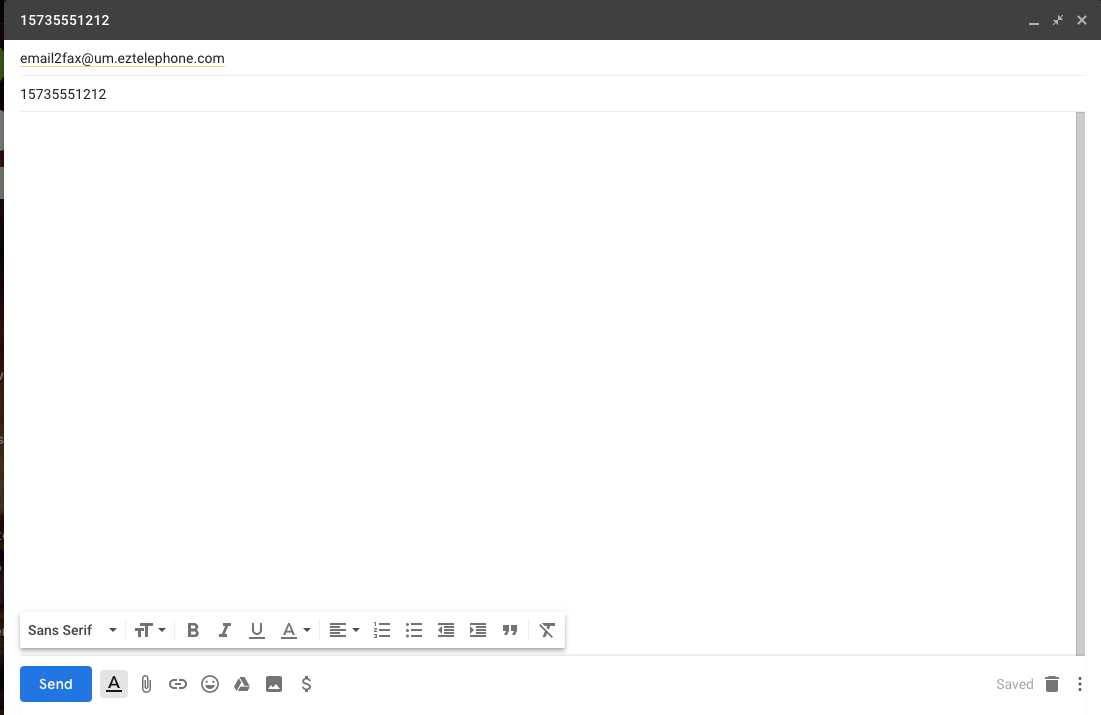
For this example, we will use Gmail. Open up your e-mail client and create a new message. In the picture below, in the “To” field, you will want to enter
email2fax@um.eztelephone.com
The subject line will be where you add the phone number where you want your fax to go. Please make sure it's an 11 digit telephone number. 7 or 10 digit telephone numbers are not supported.
The body field is not used, and will be ignored. Also, I attached a PDF file from my PC to the message. For best results, please ensure that you'r attached file’s dimensions are 8.5 x 11 inches, and its filename is no greater than 32 characters. Also, be sure that there’s only one attachment per e-mail, as additional attachments will not be sent. Your file attachment can include multiple pages. We recommend less than 30 total pages, as a higher page count may result in a greater chance of failure.
If any of these prerequisites are not met, you may receive error messages after sending your e-mail.
After sending the message you will receive an e-mail that includes the results of your fax attempt, whether it succeeded or failed.
E-mail to Fax Troubleshooting
Should you receive a failure, you will receive a bounce-back e-mail that includes a reason for the failure. Here are some of the reasons as to why this may have occurred.
- Incorrectly configured/missing SPF record.
- EzTel checks for a valid SPF record on every E-mail to Fax attempt in order to prevent spam/fraud. If you are sending from a domain that does not have a valid SPF record, your bounce-back message will include something like this:
- Remote Server returned '< #5.3.0 x-unix; SPF records for sender are improperly configured>'
- EzTel checks for a valid SPF record on every E-mail to Fax attempt in order to prevent spam/fraud. If you are sending from a domain that does not have a valid SPF record, your bounce-back message will include something like this:
- Sender is not authorized in EzTels BackOffice.
- If you are trying to send an E-mail to Fax attempt from an e-mail address that is not registered in our BackOffice, you will receive an error that looks like this:
- Remote Server returned '< #5.3.0 x-unix Source address not authorized>
- To remedy this, Call or email us to register an e-mail address that are outlined in the beginning of this article.
- If you are trying to send an E-mail to Fax attempt from an e-mail address that is not registered in our BackOffice, you will receive an error that looks like this:
- The call was unable to negotiate T38. Error Received : T38_NEG_ERROR
- This usually occurs when the call did not properly negotiate the T38 protocol, which is necessary for faxing using our E-mail to Fax service. You may want to try dialing the destination number from a handset phone to check if you are receiving fax tones. If you are, and the E-mail to Fax still fails, try opening a ticket with Support and provide the call to, call from, and time of call.
- The outbound call failed.
- If your E-mail to Fax attempt fails with “Outgoing call failed”, check to verify that the destination is a valid/working number. After verifying this and checking for fax tones, open a ticket with Support if any issues persist.
- Attachment file is the wrong format
- You may see this error if the file you are trying to attach is not the correct format. The supported file types are:
- PDF, DOC, DOCX, XLS, XLSX, RTF, PPT, PPTX, and TIFF (Fax-formatted)
- If you are still having issues with your file, you may want to convert it using a program such as CutePDF.
- You may see this error if the file you are trying to attach is not the correct format. The supported file types are: